Equipping Your Congregation: Introducing Our New Print & Share Feature for Religious Liberty Leaders
Print Vital Legal News Straight to Your Church Community
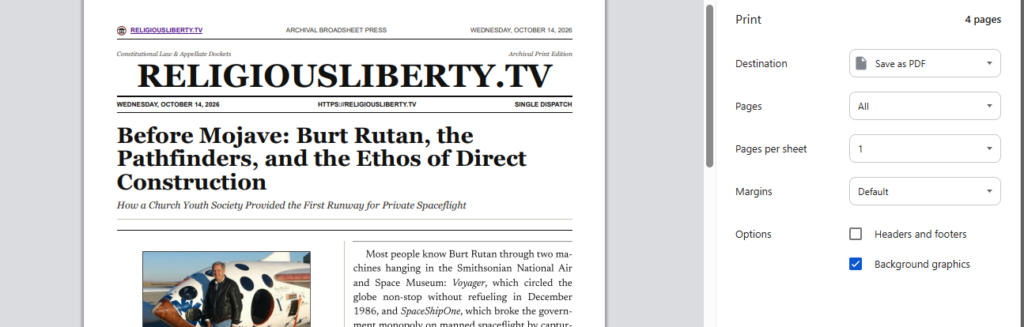
One of the most frequent requests we receive here at ReligiousLiberty.TV is simple: Can you make it easier to print out your articles?
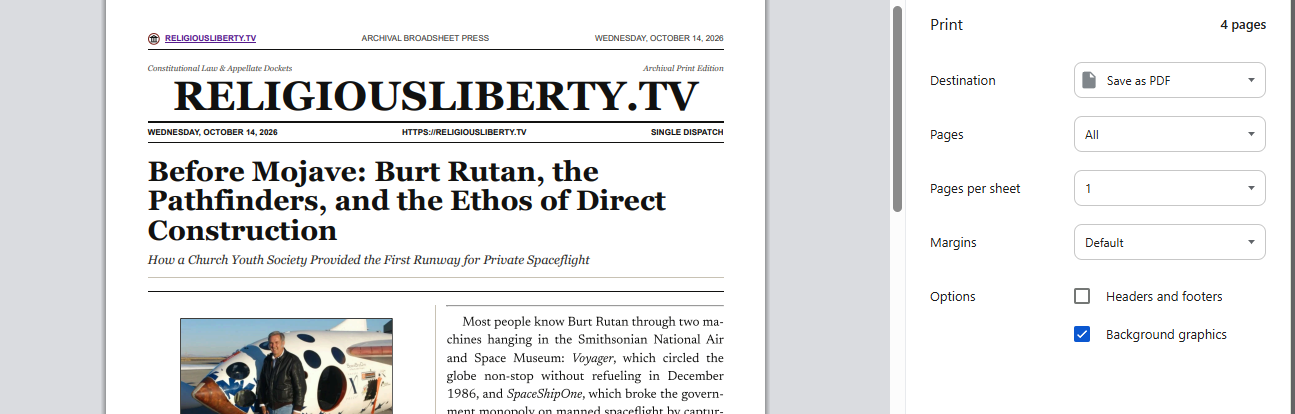
For years, readers have told us how much they value our deep dives into First Amendment jurisprudence, appellate dockets, and religious freedom developments. But more than that, many of you have shared how you take our work offline—printing out physical copies to hand out to friends, share at church gatherings, or discuss in study groups.
To honor that tradition and give your reading experience the presentation it deserves, we are thrilled to introduce Broadsheet Press, our brand-new proprietary, museum-grade print and PDF edition suite.
It only works from our main website, https://religiousliberty.tv not our substack.
Designed for Traditional Reading, Built for Modern Sharing
We wanted to build something that feels less like a standard computer printout and more like opening a classic morning newspaper. With our new suite, every article transforms into a clean, multi-column broadsheet layout complete with traditional typography, elegant editorial mastheads, and precise structuring.
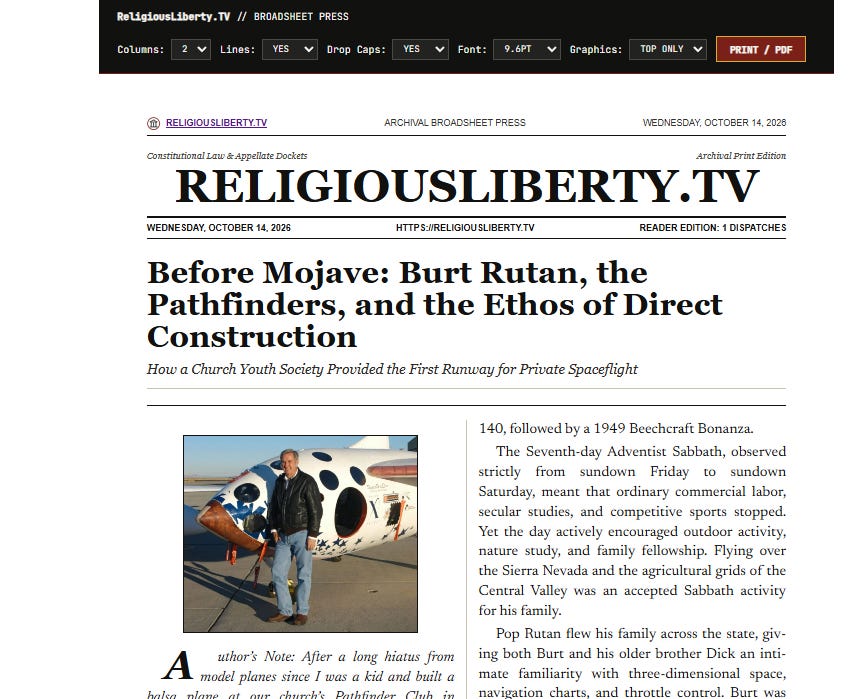
Best of all, Broadsheet Press puts complete customization directly into your hands right from the print preview screen:
-
Flexible Column Layouts: Easily switch between a standard 2-Column broadsheet format or a wider 3-Column layout to suit your reading preference.
-
Editorial Detail Toggles: Want a clean look? You can instantly toggle vertical column lines (rules) on or off, enable or disable traditional drop caps, and adjust the body font size for maximum legibility.
-
Smart Graphic Control: By default, articles display the primary lead graphic at the top for a polished visual presentation, with options to include all graphics or go text-only.
-
Mini-Newspaper Builder: Curate your own custom edition by checking off up to five different dispatches as you browse the site, then print them out together as a cohesive 5-story mini-newspaper.
Bringing Conversations Offline
In an era dominated by digital screens, there is still something uniquely powerful about holding a physical piece of paper, marking up the margins, and handing an insightful article to a friend or fellow church member. Whether you are sparking a conversation about constitutional law or sharing a vital legal development with your community, Broadsheet Press makes it easier, cleaner, and far more reader-friendly.
Head over to any dispatch on ReligiousLiberty.TV today, click Print Broadsheet PDF, and experience our new print layout for yourself!
Here are step-by-step instructions on how to use the new Broadsheet Press print and PDF features on ReligiousLiberty.TV:
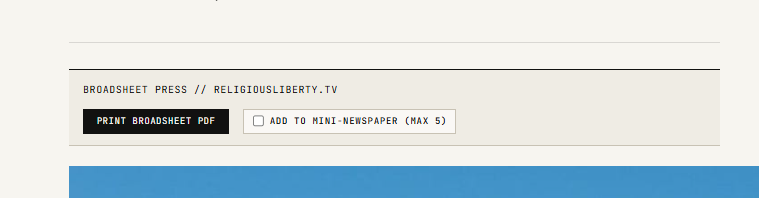
Step 1: Locate the Print Controls on Any Article
As you read any dispatch or legal commentary on the site, look at the top toolbar directly beneath the article title. You will see a button labeled “Print Broadsheet PDF” alongside an option to add the story to a custom collection.
Step 2: Open the Broadsheet Print Preview
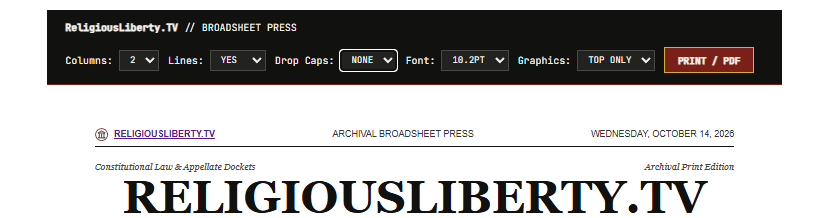
Click the “Print Broadsheet PDF” button. This will instantly generate and open your article in a clean, museum-grade broadsheet layout in a new browser tab. At the very top, you will see an interactive control bar packed with customization options:
-
Columns: Choose between 2 Columns (standard newspaper layout) or 3 Columns (wide format).
-
Lines: Turn the vertical divider rules between columns Yes or None.
-
Drop Caps: Toggle traditional editorial drop-cap lead letters on or off.
-
Font Size: Adjust the body text size anywhere from 8.5pt to 11pt for your optimal reading comfort.
-
Graphics: Choose whether to show the Top Only (default), All graphics, or go None (text-only).
Step 3: Print or Save as PDF
Once you have customized the layout to your liking, click the “Print / PDF” button on the top right of the control bar (or use your browser’s standard print shortcut, Ctrl+P on Windows or Cmd+P on Mac). Select your physical printer to hand out copies at church or to friends, or choose “Save as PDF” to keep a digital copy on your device.
Step 4: Build a Custom 5-Story Mini-Newspaper (Optional)
If you want to print multiple dispatches together as a single custom edition:
-
As you browse headlines across the site, look for the “+ Edition” checkbox next to article titles.
-
Check up to 5 articles that you want to include.
-
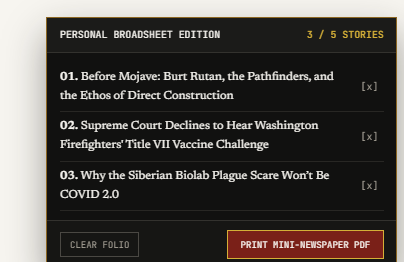
A floating personal edition dock will appear at the bottom right of your screen tracking your selected stories.
-
Click “Print Mini-Newspaper PDF” to generate a unified, multi-story broadsheet edition containing all your selected articles complete with a table of contents index.
Because this is so new and unique to our site, it is definitely a work-in-progress. If you have suggestions, questions, or new use cases, please let me know! Also, if you’d like to discuss how to implement this on your own site, please feel free to contact me.